

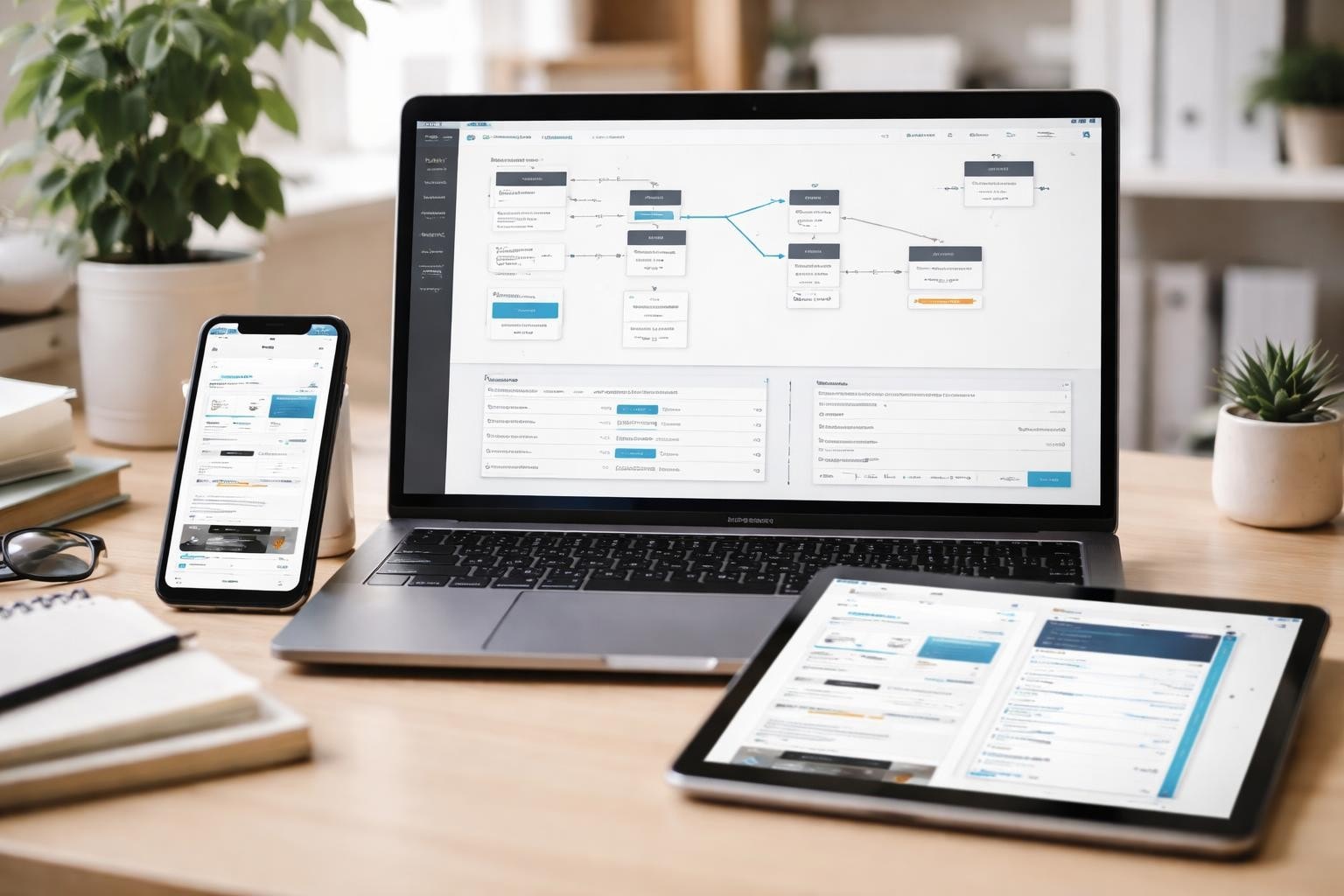
The landscape of software development has fundamentally shifted over the past few years, with visual development platforms democratizing access to application creation. Bubble app development represents one of the most powerful approaches to building functional, scalable applications without traditional coding. For entrepreneurs and startups seeking to validate ideas quickly, this no-code methodology offers a practical pathway from concept to market-ready product. Understanding the principles, workflows, and best practices of bubble app development has become essential for founders who want to compete effectively whilst maintaining control over their product vision.
Understanding the Bubble App Development Ecosystem
Bubble app development operates on a visual programming paradigm that replaces traditional code with intuitive drag-and-drop interfaces and logic builders. This platform enables creators to design databases, build user interfaces, implement workflows, and deploy applications entirely through a browser-based environment.
The architecture relies on three fundamental components: the design interface where visual elements are arranged, the workflow editor where logic and actions are defined, and the database structure where information is organized and stored. These elements work in concert to create fully functional web and mobile applications that handle everything from user authentication to complex business logic.
Core Components of Bubble Applications
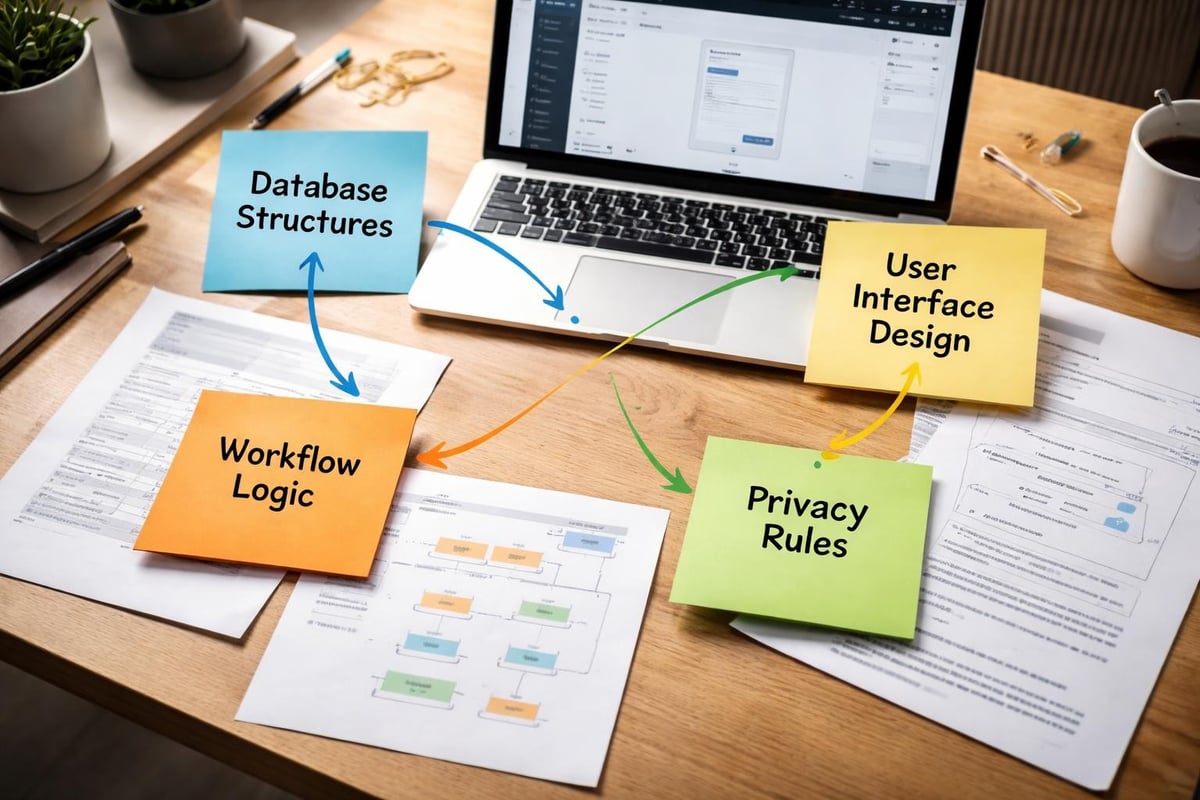
Every bubble app development project centres around several interconnected systems that work together seamlessly:
- Database structures that define how information is stored and relationships between data types
- User interface elements including responsive layouts, reusable components, and dynamic content
- Workflow logic that governs application behavior, API integrations, and user interactions
- Privacy rules ensuring data security and appropriate access controls
- Styling systems maintaining consistent design language across all pages
The official Bubble Manual provides comprehensive documentation covering each of these aspects, serving as an essential reference throughout the development journey.
Planning Your Bubble App Development Project
Strategic planning distinguishes successful bubble app development from projects that struggle with technical debt and scalability issues. Before designing a single interface element, founders should invest time in mapping out their application's architecture and user journeys.
The fundamental principles for effective Bubble development emphasize starting with clear documentation of features, user roles, and data relationships. This upfront investment prevents costly refactoring later in the development cycle.
Database Schema Design
Creating an efficient database structure forms the foundation of performant applications. Consider these planning steps:
- Identify all data types your application will store (users, products, orders, messages, etc.)
- Map relationships between data types using fields that reference other types
- Plan for scalability by avoiding deeply nested data structures
- Document field purposes to maintain clarity as your application grows
- Consider privacy requirements early to inform access control design
| Planning Element | Best Practice | Common Pitfall |
|---|---|---|
| Data Types | Keep them focused and single-purpose | Creating overly complex, multi-purpose types |
| Relationships | Use option sets for fixed categories | Storing lists as text strings |
| Field Names | Use clear, descriptive naming conventions | Abbreviations that obscure meaning |
| Privacy Rules | Define rules before building workflows | Retrofitting security after launch |
Many startups working with agencies specializing in MVP Development find that collaborative planning sessions during the initial phase dramatically reduce development time and create more maintainable applications.
Building Responsive Interfaces
Interface design in bubble app development requires careful attention to responsive behavior across devices. Unlike traditional development where separate mobile and desktop codebases might exist, Bubble applications use conditional visibility and responsive containers to adapt to different screen sizes.
The design canvas operates on a fixed-width basis by default, but implementing responsive design requires understanding container types, alignment rules, and breakpoint behaviors. Mastering responsive design in Bubble.io involves creating layouts that gracefully transform from desktop to tablet to mobile contexts.
Design System Implementation
Establishing a consistent design system early prevents visual inconsistencies:
- Define a colour palette using Bubble's style variables
- Create reusable elements for buttons, inputs, and common components
- Set typography standards for headings, body text, and labels
- Build template pages that enforce layout consistency
- Implement spacing standards using consistent padding and margins
Reusable elements deserve particular attention in bubble app development. These components allow you to define an element once and use it throughout your application, with changes propagating automatically to all instances.
Workflow Development and Logic Implementation
Workflows represent where bubble app development truly demonstrates its power, translating user actions into application responses without writing traditional code. Each workflow consists of triggers (events that start the workflow) and actions (operations the application performs).
Common Workflow Patterns
Understanding typical workflow structures accelerates development:
- Data manipulation workflows that create, modify, or delete database entries
- Navigation workflows that move users between pages or display popups
- External integration workflows that communicate with third-party services via APIs
- Conditional workflows that execute different actions based on specific criteria
- Scheduled workflows that run at predetermined times or intervals
The interactive tutorials covering various aspects of Bubble app development provide hands-on experience with these patterns, helping developers understand practical implementation approaches.

Performance Optimization Strategies
As applications grow in complexity, performance considerations become increasingly critical in bubble app development. Poorly optimized applications suffer from slow page loads, laggy interactions, and frustrated users who abandon the platform.
Database Query Optimization
The way your application retrieves data significantly impacts performance:
- Minimize searches on page load by only fetching essential data initially
- Use pagination for lists containing many items rather than loading everything
- Avoid advanced filters on large datasets, relying instead on database constraints
- Leverage data caching through custom states when repeatedly accessing the same information
- Implement lazy loading for images and content below the fold
| Optimization Technique | Performance Impact | Implementation Complexity |
|---|---|---|
| Conditional visibility | Medium | Low |
| Database indexing | High | Medium |
| Image compression | High | Low |
| Server-side actions | Medium | High |
| CDN integration | Very High | Medium |
The comprehensive guide on strategies for optimizing the performance of Bubble applications details additional techniques for enhancing application responsiveness.
Security and Privacy Implementation
Security cannot be an afterthought in bubble app development. Implementing robust privacy rules protects user data and maintains application integrity from the earliest stages of development.
Privacy rules function as server-side filters that determine what data users can access, modify, or delete. These rules operate independently of interface visibility, providing genuine security rather than mere obscurity.
Essential Security Practices
Building secure applications requires multiple layers of protection:
- Define privacy rules for every data type, even internal administrative types
- Enable two-factor authentication for user accounts handling sensitive information
- Implement SSL encryption for all data transmission
- Set minimum password requirements balancing security with usability
- Regularly audit API workflow permissions to prevent unauthorized access
The detailed guidance on securing Bubble applications covers implementation specifics that protect both user data and business interests.
Version Control and Collaborative Development
Professional bubble app development increasingly involves teams working simultaneously on different features. Bubble's version control system enables this collaboration whilst minimizing conflicts and enabling safe testing.
Branch Management Strategy
Effective version management follows a structured approach:
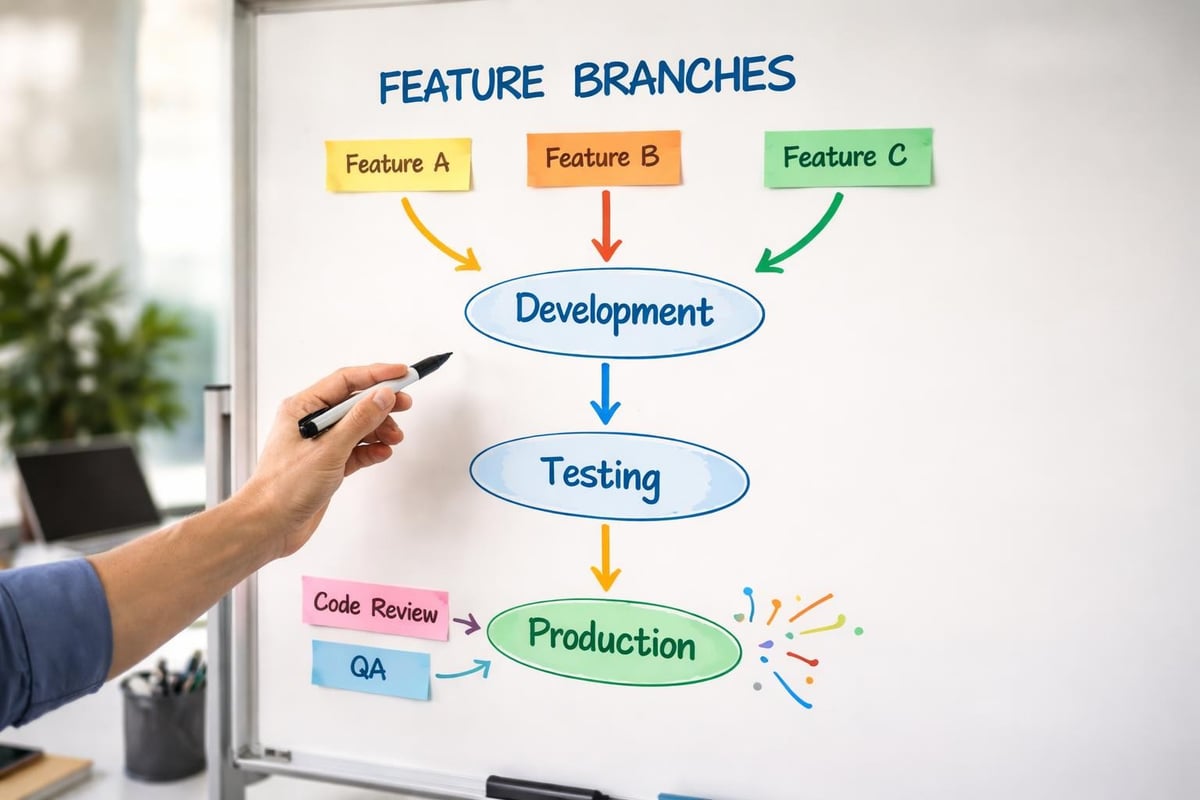
- Main branch contains production-ready code deployed to live users
- Development branch serves as integration point for completed features
- Feature branches isolate work on specific functionality
- Testing branches allow quality assurance without affecting development
- Hotfix branches enable rapid response to production issues
The best practices for using Bubble's version control feature outline strategies for maintaining organized, collaborative projects.
Understanding app development collaboration becomes particularly important for distributed teams or agencies managing multiple client projects simultaneously.
Building Native Mobile Applications
Bubble app development extends beyond web applications to include native iOS and Android apps. The platform's mobile app functionality allows developers to create responsive web apps and then wrap them in native containers for app store distribution.
The transition from web to mobile requires specific considerations around navigation patterns, touch interactions, and device-specific features. The quick start guide for building native mobile apps with Bubble walks through interface setup tailored for mobile contexts.
Mobile-Specific Considerations
Creating excellent mobile experiences involves:
- Designing touch-friendly interface elements with appropriate sizing
- Implementing mobile navigation patterns like bottom tab bars
- Optimizing images and assets for various screen densities
- Testing on actual devices rather than relying solely on browser preview
- Considering offline functionality for degraded connectivity scenarios
Many entrepreneurs discover that choosing the right app to make begins with understanding whether their concept serves users better through web, mobile, or hybrid approaches.
API Integration and External Services
Modern applications rarely exist in isolation. Bubble app development supports extensive API integration capabilities, connecting applications to payment processors, communication platforms, analytics services, and countless other third-party tools.
The API Connector plugin enables both REST and GraphQL API integration through a visual interface. Developers configure authentication, define endpoint structures, and map response data to Bubble data types without writing integration code.
Common Integration Categories
Typical bubble app development projects incorporate several integration types:
- Payment processing through Stripe, PayPal, or other financial services
- Communication services including email, SMS, and push notifications
- Authentication providers enabling social login options
- Analytics platforms tracking user behavior and application performance
- AI services adding machine learning capabilities to applications
The expanding ecosystem of plugins and APIs means bubble app development can leverage sophisticated functionality without building everything from scratch.
Testing and Quality Assurance
Systematic testing ensures bubble app development produces reliable, functional applications. Unlike traditional development where automated testing frameworks handle many scenarios, Bubble applications benefit most from structured manual testing combined with real user feedback.
Testing Methodology
Comprehensive quality assurance follows a multi-stage approach:
- Developer testing during feature implementation to catch obvious issues
- Cross-browser testing ensuring consistent behavior across Chrome, Safari, Firefox, and Edge
- Device testing validating responsive behavior on actual mobile devices
- User acceptance testing gathering feedback from representative users
- Load testing verifying performance under realistic usage conditions
Creating test scenarios that mirror actual user journeys helps identify edge cases and unexpected interactions before they affect real users.
Deployment and Launch Considerations
Taking a bubble app development project from testing to production requires careful planning around deployment timing, data migration, and user communication. Bubble's deployment process itself is straightforward, but successful launches consider broader operational aspects.
The platform offers different deployment options including immediate deployment, scheduled deployment, and gradual rollout capabilities. Choosing the appropriate approach depends on application complexity, user base size, and acceptable downtime tolerance.
Pre-Launch Checklist
Before making an application publicly available:
- Verify all privacy rules function correctly in production mode
- Test payment processing with live credentials rather than test mode
- Configure custom domain and SSL certificates
- Set up monitoring and analytics tracking
- Prepare customer support documentation and resources
- Plan communication strategy for existing users if replacing legacy systems
Understanding the complete development lifecycle, from initial concept through getting started with building complete web applications, helps founders set realistic expectations and allocate resources appropriately.
Ongoing Maintenance and Iteration
Launching an application marks the beginning rather than the end of bubble app development. Successful products evolve based on user feedback, market changes, and technical improvements. Establishing processes for ongoing maintenance ensures applications remain secure, performant, and competitive.
Regular maintenance activities include monitoring application performance, reviewing user feedback, updating dependencies, and implementing incremental improvements. The practical tips to maximize web application performance address common issues that emerge as applications mature and user bases grow.
Iteration Framework
Structured improvement follows a continuous cycle:
- Monitor metrics tracking user engagement, performance, and error rates
- Gather feedback through in-app surveys, support tickets, and user interviews
- Prioritize improvements balancing user value against development effort
- Implement changes using version control to safely test new features
- Measure impact comparing metrics before and after changes
This iterative approach aligns perfectly with startup methodologies focused on rapid validation and continuous improvement. Understanding how to transform agency IP into productised SaaS demonstrates how bubble app development supports evolution from service to product models.
Scaling Considerations for Growing Applications
As user bases expand and feature sets grow, bubble app development projects face scaling challenges around database performance, workflow complexity, and infrastructure costs. Planning for scale from the beginning prevents painful migrations later.
Bubble offers multiple capacity tiers with varying levels of server resources, workflow capacity, and file storage. Understanding when to upgrade plans depends on monitoring key metrics like workflow runs, database queries, and page load times.
Architectural Patterns for Scale
Applications handling significant traffic benefit from specific design approaches:
- Implementing caching strategies to reduce repetitive database queries
- Using scheduled workflows to process intensive operations during off-peak hours
- Organizing data to minimize cross-type searches and complex joins
- Leveraging external databases for analytics that don't require real-time access
- Considering microservices architecture for particularly demanding features
The balance between Bubble's managed infrastructure and custom solutions varies by project, with many successful applications running entirely on Bubble whilst others integrate specialized services for specific high-demand features.
Bubble app development offers entrepreneurs and startups a powerful pathway to transform ideas into functional applications without traditional development constraints. By understanding core principles, implementing best practices, and maintaining focus on user needs, founders can build scalable MVPs that validate business concepts and serve growing user bases. Whether you're ready to begin your first project or seeking to optimize an existing application, Creator Concepts brings award-winning expertise in Bubble.io development to help you navigate the journey from concept to successful product launch.